
Tip: Start typing in the input box for immediate search results.
-
SETUP
-
WORKFLOWS
-
- Path for DEMOing BruceBEM
- Demo - Value Proposition (Reports)
- Demo - LogIn and Home Page
- Demo - Interoperability
- Demo - Adaptive UI & Access
- Demo - Collaboration
- Demo - Assets Management
- Demo - Service Contracts
- Demo - Portfolio Management and Rentals
- Demo - Contracts
- Demo - Processes & Service Catalogue
- Demo - PM (Preventive Maintenance)
- Demo - Grouping Assets (Places & Equipment) - SYSTEMS & PM GROUPS
- Demo - Billing - Service & Rental Invoices
- Demo - Costs & Prices
- Demo - Meters & IoT Sensors
- Demo - SLAs (Service Level Agreements)
- Demo - Resources & Performance
- Demo - Dashboards, Reporting & Analytics
- Show Remaining Articles ( 4 ) Collapse Articles
-
WORKING-WITH
3. Service Catalogues (Setup Processes)
A Service Catalogue provides detailed information about the services offered by an organization. It includes service descriptions, features, pricing, service levels, and support details, as well as the workflow of the offered service thus helping customers and employees understand available offerings. A well-maintained service catalogue improves transparency, streamlines service requests, and enhances overall service management
Step:1: Navigation
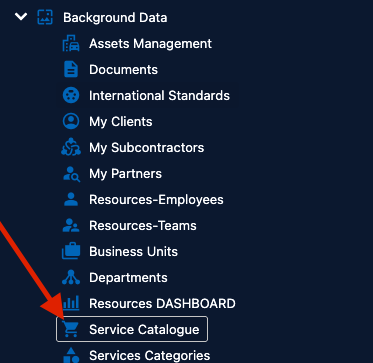
Background Data -> Service Catalogue
Step 2: Create the service catalogue
In the service catalogue screen click “New” and in the pop enter the service catalogue details such as the name and the category and the unit price. In the service catalogue the work type and work sub-type can be selected and also who is responsible the work, and the priority. the workflow of the service catalogue can also be configured here
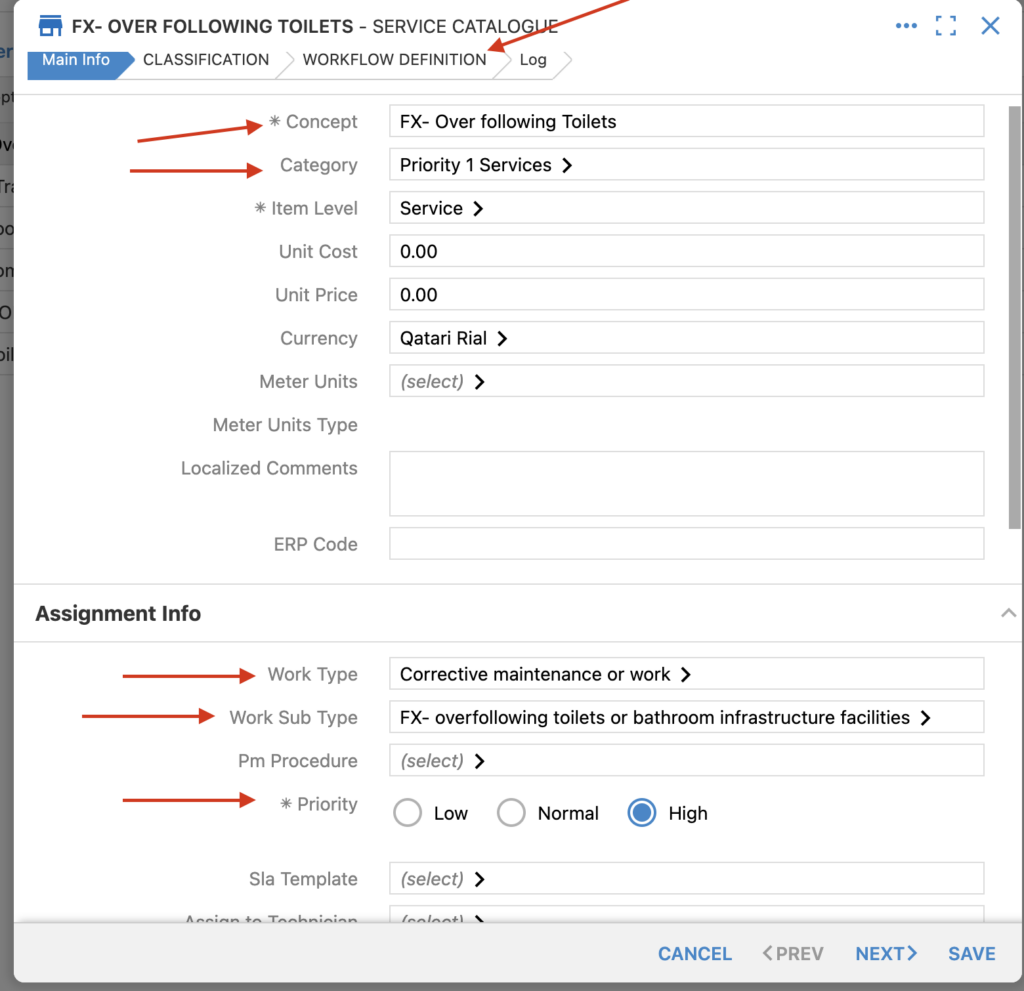
Click “Save” to create the catalogue item