
Welcome to BruceBEM Knowledge Base
Tip: Start typing in the input box for immediate search results.
-
SETUP
-
WORKFLOWS
-
- Path for DEMOing BruceBEM
- Demo - Value Proposition (Reports)
- Demo - LogIn and Home Page
- Demo - Interoperability
- Demo - Adaptive UI & Access
- Demo - Collaboration
- Demo - Assets Management
- Demo - Service Contracts
- Demo - Portfolio Management and Rentals
- Demo - Contracts
- Demo - Processes & Service Catalogue
- Demo - PM (Preventive Maintenance)
- Demo - Grouping Assets (Places & Equipment) - SYSTEMS & PM GROUPS
- Demo - Billing - Service & Rental Invoices
- Demo - Costs & Prices
- Demo - Meters & IoT Sensors
- Demo - SLAs (Service Level Agreements)
- Demo - Resources & Performance
- Demo - Dashboards, Reporting & Analytics
- Show Remaining Articles ( 4 ) Collapse Articles
-
WORKING-WITH
< All Topics
You are here:
Print
CRM Console
Customer Relationship Management
In the CRM console, you can manage the clients/partners, and subcontractors in one console.
- Navigation. Click -> the CRM Console
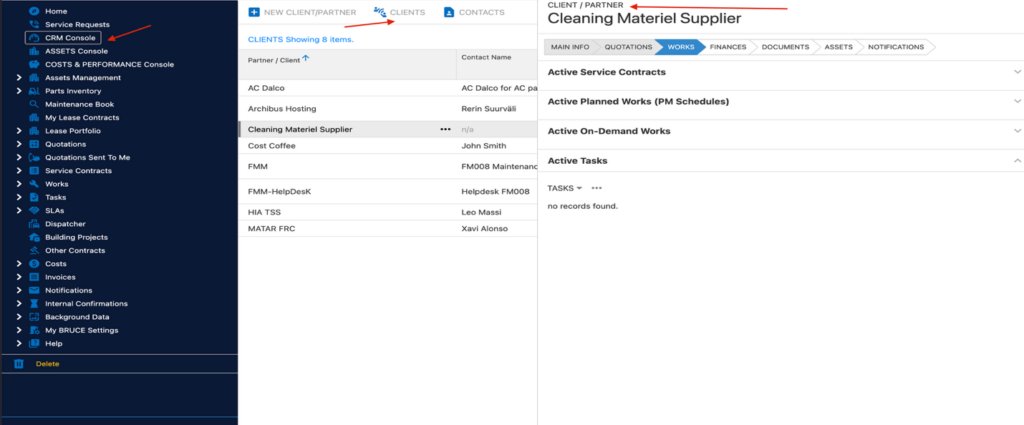
Then click the client or the partner you want to manage.
Everything related to the client can be managed here, such as the WRs assigned to the partner, invoices, documents, quotations, notifications and contact information. This is the multi-tenant concept and the collaborations between the stakeholders of the BruceBEM application.
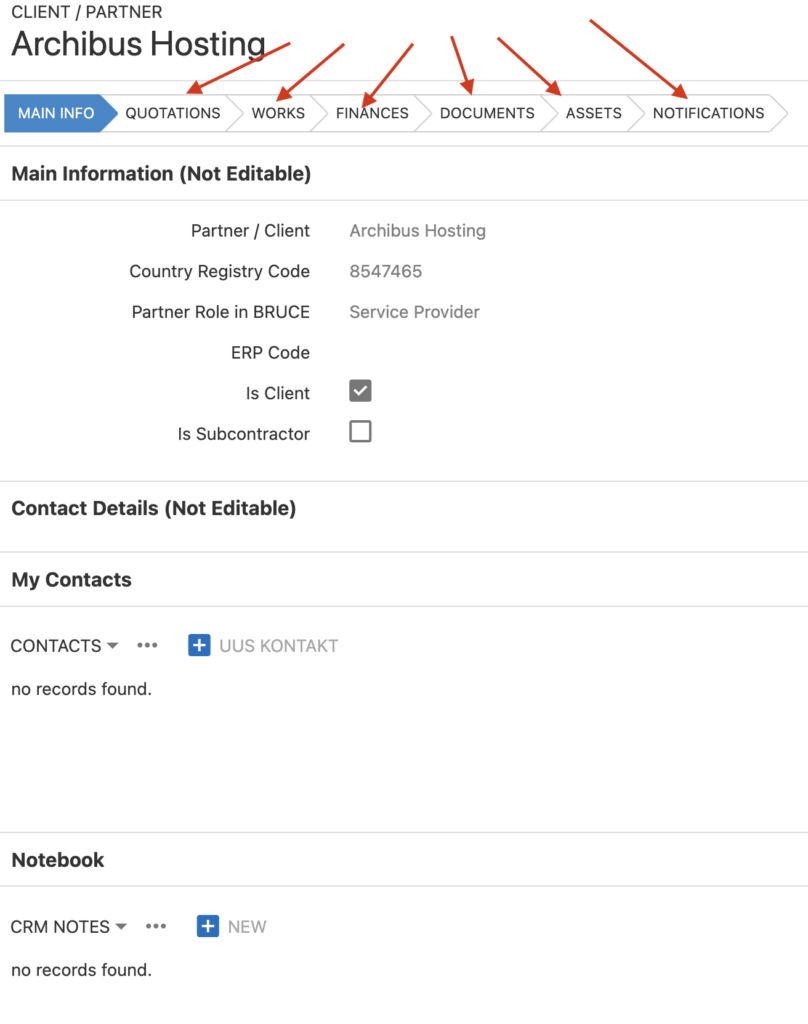
Table of Contents